EN
EN
 SV
SV
 ES
ES
 FR
FR

 App Store
 Google Play
 Sitio oficial

Revisión de seguridad
Premios y Certificaciones

Sobre la app
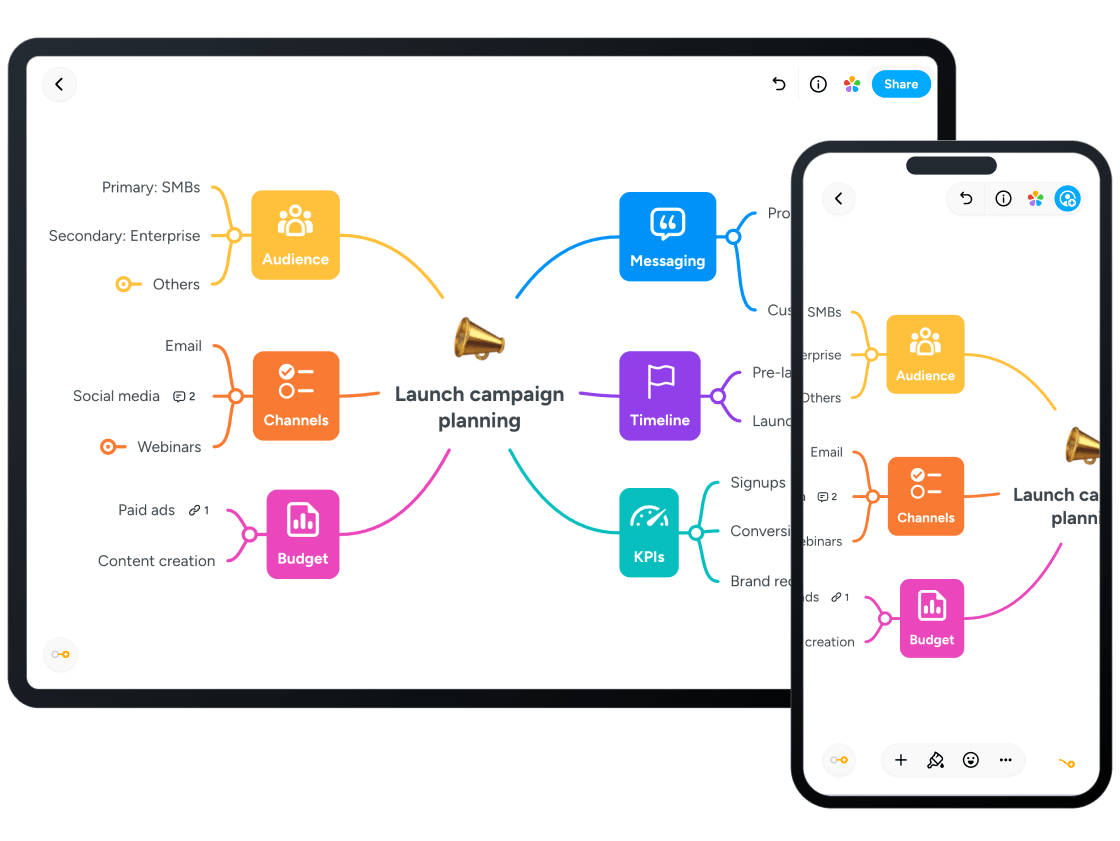
Xmind is a globally available, professional mind mapping and brainstorming tool designed primarily for students, young adults, and aspiring professionals aged 14–18. Presenting a low inherent content risk profile, its core focus is on enhancing organization, logical thinking, and study skills, which is further supported by a high Parent Safety Score of 93. The application is cross-platform, available on major operating systems including iOS, Android, PC, macOS, and Web, offering seamless synchronization for users to work on projects anywhere. Xmind has been recognized for its design excellence, having won the prestigious Red Dot Design Award. As a full-featured tool, Xmind transforms complex, disordered thoughts into clear, structured visual maps, making it indispensable for academic life and project planning. It provides a versatile 'Swiss Army Knife' of structures beyond traditional mind maps, including Logic Charts, Brace Maps, Tree Tables, Timelines, and Fishbone Diagrams, allowing students to visually organize diverse information, from note-taking and exam revision to literature analysis and complex project frameworks. Core productivity features include the powerful **ZEN Mode** for a distraction-free, immersive mind-mapping experience, and **Pitch Mode**, which instantly converts any mind map into a professional-looking, one-click presentation or slide show for reports and class speeches. Users can also utilize the **Outliner** feature to switch their mind map into a clear, linear outline view for easy task management and fact organization. For students seeking to maximize their learning, Xmind supports memory improvement by helping them extract key points and build a systematic knowledge structure for better understanding. A significant element of the platform is its integration of **AI-powered features**, which are central to the Premium subscription tier and currently available through the Xmind Online web app. This AI functionality is designed to accelerate thinking and creativity, providing a 'copilot' for smarter, faster mapping. The **AI Copilot** can generate a full, structured mind map in seconds from various sources, including a simple prompt, a webpage link, documents, PDFs, or even videos. The AI can also assist in learning by selecting a concept and using **AI Explain** to deliver easy-to-understand explanations. For project-oriented work, the AI can help refine and reorganize existing maps, break down complex projects into actionable ToDos, and generate high-quality images or stickers to enhance visual appeal. Furthermore, collaboration is supported through **AI Co-editing**, where the AI refines inputs in real-time to ensure clarity and alignment when multiple users are contributing. For parents, understanding the platform's accessibility and data practices is important. Xmind operates on a subscription model, though it does offer a free version. The subscription is required to unlock full functionality, including the most advanced AI features, unlimited maps, real-time collaboration, and the integrated **Gantt Chart** view that turns mind maps into visual project timelines complete with task dependencies, deadlines, and assigned owners. The platform prioritizes high security standards, operating on ISO/IEC 27001 and SOC 2 Type II certified infrastructure. The company states a Privacy first approach, claiming files are stored locally for full user control and that they only collect anonymous usage statistics, which can be turned off. However, parental monitoring is important, as the application does include ads (Ads Present: YES) and the provided product data indicates **Tracking: Yes**, which may involve the collection of non-linked data like Location and Search History for third-party advertising purposes. This blend of powerful organizational tools, advanced AI assistance, and essential security infrastructure makes Xmind a high-quality (Stars: 3), productive digital tool for organizing thoughts and maximizing academic potential for older teens. Xmind should be reviewed in real family use before recommendation. Test first-session onboarding, age fit (14–18), data collection prompts, and monetization flows. Verify whether core tasks remain usable with limited connectivity, whether navigation is predictable for children, and whether adult controls are easy to find. Keep short supervised sessions and document where children need support. Re-check links and policy pages regularly because store listings and business models can change over time.

Criterios de Selección
Nuestra evaluación se basa en una revisión de cuatro pilares centrales: privacidad, adecuación a la edad, valor educativo y ausencia de publicidad. También consideramos premios y certificaciones.