EN
EN
 SV
SV
 ES
ES
 FR
FR

 App Store
 Google Play
 Sitio oficial

Revisión de seguridad
Premios y Certificaciones

Sobre la app
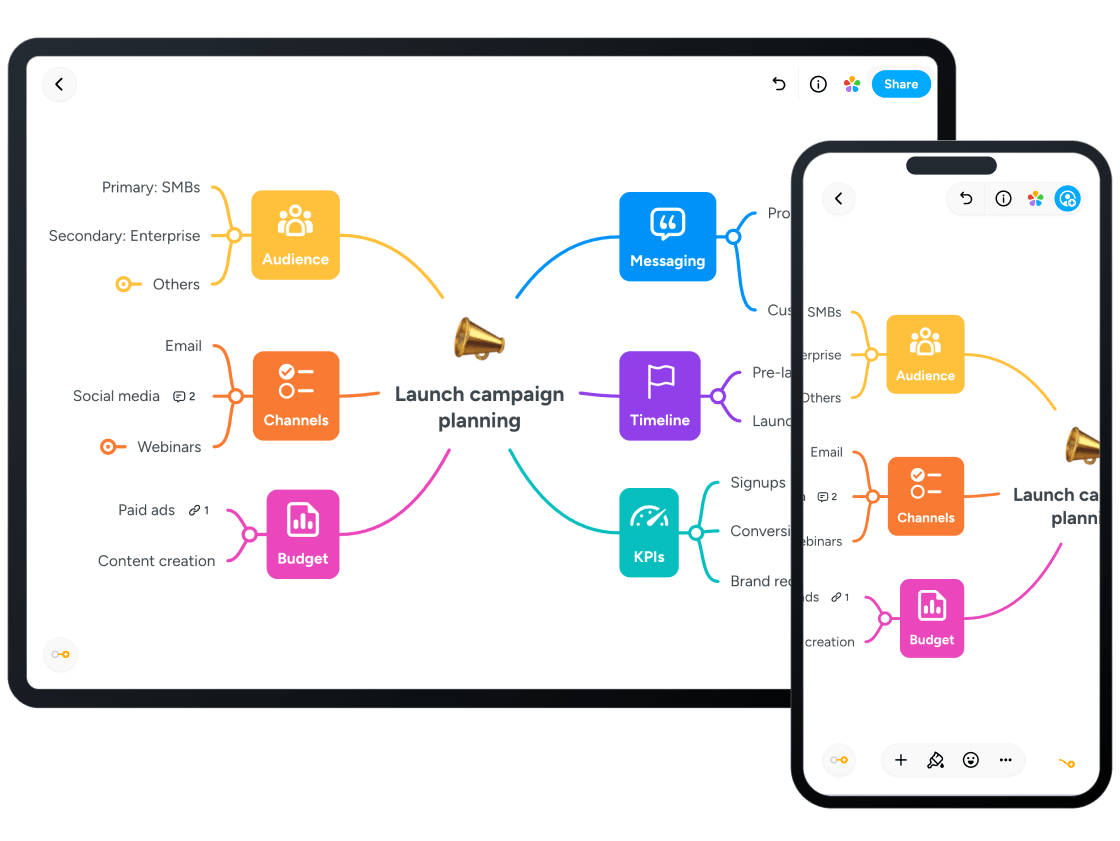
Miro is a globally available, highly versatile, collaborative digital whiteboard platform designed to revolutionize visual teamwork and learning. While widely adopted by professionals and design teams, it serves as a powerful innovation workspace for older students, particularly those in the **14–18 age range**, facilitating complex school projects, design thinking exercises, and creative content development. Accessible on iOS, Android, and Web platforms, Miro transforms the traditional whiteboard experience into a limitless digital canvas where students can brainstorm, plan, and execute sophisticated academic and creative tasks, either in real-time or asynchronously. It is highly appropriate for its target demographic with a high Parent Safety Score of 94. The platform is built on an **Intelligent Canvas**, an infinite digital space that adapts to the user's workflow. This goes beyond simple drawing; it allows students to connect, organize, and build ideas using an extensive toolkit that includes digital sticky notes, complex diagrams, mind maps, flowcharts, and wireframes.
The canvas automatically organizes and aligns objects, allowing students to focus purely on creativity and problem-solving without the manual busywork of tidying up. This makes it an ideal tool for subjects like advanced science, history projects requiring complex mapping, and any curriculum emphasizing visual, collaborative learning. For high school students, the ability to visualize complex architectures and express intricate ideas using a wide range of file formats, including images, GIFs, documents, and PDFs, in a single shared space is invaluable for comprehensive project work. For group project efficiency, **Real-time collaboration** is a core strength, enabling multiple users to work simultaneously on the same board regardless of their physical location or time zone. Tools like the built-in **Timer**, **Voting** feature, and **live cursors** ensure that remote meetings and group workshops remain engaging and productive, preventing groupthink and ensuring all voices are empowered. Miro also offers a vast library of expert-created **Templates** for design thinking exercises, agile practices, project roadmapping, and classic brainstorming techniques like S.C.A.M.P.E.R.
This wealth of pre-structured tools helps students apply professional methodologies to their coursework, teaching valuable organizational and critical thinking skills that are highly relevant for future career paths. A significant element of Miro's advanced functionality is **Miro AI**, which acts as a 'thought partner' and automation tool to accelerate idea generation and synthesis. The AI features, such as **Flows** and **Sidekicks**, are designed to understand the visual context of the entire board. This means the AI can automate repetitive tasks, such as instantly turning scattered brainstorm notes into organized action plans, generating project briefs from fragmented information, or transforming customer feedback into categorized insights. It can help in content generation by creating user stories from a simple prompt, generating a list of ideas for a selected node in a mind map, or even generating example code for a code block. The AI also includes features like **Content Recognition** to digitize handwritten notes and sketches into editable content, and **Smart Suggestions** to recommend tools or design improvements based on user patterns.
These functions dramatically speed up the ideation and structuring process, allowing students to dedicate more time to content refinement and deeper analysis. From a parental and safety perspective, the original content shows that the primary safety concern is the potential for content risks arising from **unmoderated user-generated collaboration**. As a large-scale creative network, content posted by users is subject to Miro's **Content & Conduct Standards**, which explicitly prohibit harassment, discrimination, malicious content, and unauthorized activities that may harm other users. Miro utilizes automated scanning of content against prohibited terms and encourages users to report potential violations to maintain the integrity of the service. Crucially, Miro's Terms of Service state that the Service is **not intended for, and may not be used by, anyone under the age of 16**, a restriction that aligns with international data privacy standards for minors. While the app is free to use on a limited number of boards, parents should monitor use and reinforce responsible digital citizenship, especially regarding the sharing of public boards.
The lack of explicit details on Miro's specific AI functions for content filtering and the detailed data and privacy policies for minors limits a full AI safety assessment, but the company does offer robust AI moderation controls for enterprise-level accounts to filter prompts for hate, sexual content, and violence. Miro provides an extensive and high-quality platform for young adults interested in graphic design, production, and technology, making it a valuable, productive tool for building future-ready skills. Miro should be reviewed in real family use before recommendation. Test first-session onboarding, age fit (14–18), data collection prompts, and monetization flows. Verify whether core tasks remain usable with limited connectivity, whether navigation is predictable for children, and whether adult controls are easy to find. Keep short supervised sessions and document where children need support.
Re-check links and policy pages regularly because store listings and business models can change over time.

Criterios de Selección
Nuestra evaluación se basa en una revisión de cuatro pilares centrales: privacidad, adecuación a la edad, valor educativo y ausencia de publicidad. También consideramos premios y certificaciones.